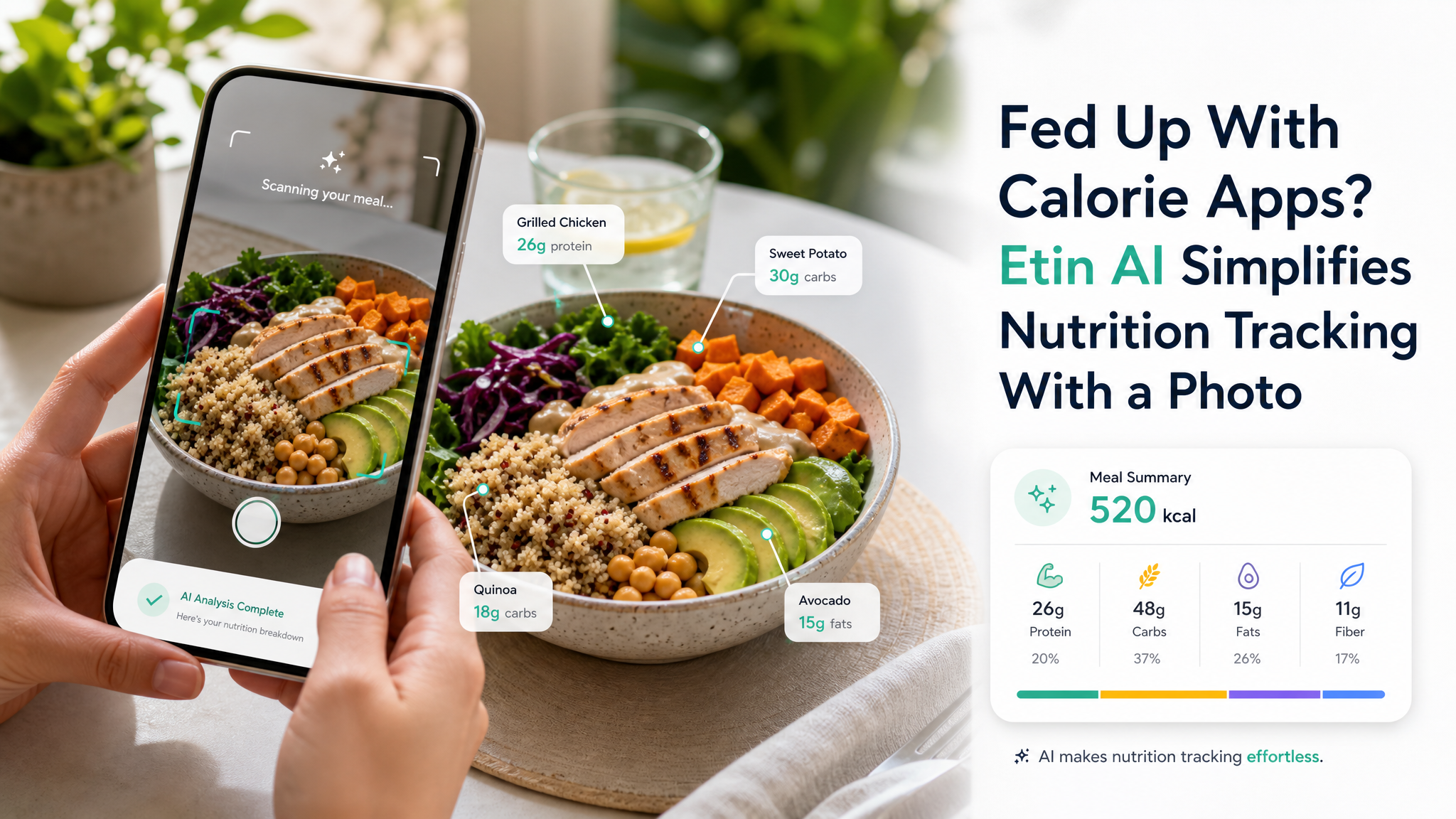
You open a calorie app, search through a database, guess portion sizes, tap through multiple screens. Within a week you’re exhausted. The tracking lasts two days, maybe three. The problem isn’t your motivation—it’s the friction. EtinAI treats that friction as the enemy. Snap a photo of your plate, and within seconds you get calories, protein, carbs, and fat. No typing, no scrolling, no estimating.
The difference is in the flow
Most apps ask you to log before you eat. That means pulling out the phone while the food gets cold, searching for “chicken breast grilled no skin” and then adding grams or ounces. EtinAI flips the order: eat normally, take a picture after or even during the meal. The AI reads the visual composition and returns a breakdown. I tested it with a homemade stir-fry—mixed vegetables, chicken, and sauce—and it identified the major components correctly. It wasn’t perfect on the exact oil quantity, but the estimate was close enough to be useful, within maybe 30–50 calories of what I’d expected. That margin matters less than the fact I actually logged the meal.
Three real situations where it works—and one where it stumbles
Restaurant meals: A bowl of ramen with egg, pork, and seaweed. EtinAI recognized the bowl structure, estimated the broth as moderate calorie density, and gave a total around 650 kcal. That’s in the right ballpark. Packaged foods: A protein bar with a clear wrapper—it read the barcode area and matched the label macros almost exactly. Home-cooked curry: Took a photo of a plate with rice and yellow curry. The AI identified rice and a mixed sauce, but the split between potato and chicken was a little blurry. Still, the total calorie estimate was within 10% of my manual calculation.
The stumble comes with very dark, saucy dishes in low light. A plate of black bean sauce over noodles came back with a surprisingly low carb count—probably because the sauce obscured the noodle volume. If you eat a lot of stewed or heavily coated food, you might want to take the photo under normal lighting and maybe add a quick verbal note in the app if it offers that.
Who should use this—and who should stick with manual logging
EtinAI fits best if you eat a diverse range of meals, including home-cooked, restaurant, and takeout, and you don’t want to spend more than 30 seconds logging. It also works well if you’re less concerned about hitting exact macro targets and more focused on staying in a general calorie range. If you’re a competitive bodybuilder needing single-gram accuracy on protein, the AI’s estimation might frustrate you. For that use case, weighed logging is still the standard. EtinAI shines as a low-effort tool that keeps you consistent; perfection is not its goal.
The tradeoff worth acknowledging
The convenience comes with a surrender of control. You’re trusting the AI’s model, which is trained on typical food presentations. Unusual cuisines, extremely small portions, or complex layered dishes (lasagna, stuffed vegetables) can give less reliable results. The app doesn’t yet let you correct individual components by tapping on them—it gives a single result. That’s fine for a quick check, but if you want to log exactly 34g of fat, you’ll need to override the estimate manually (if the app allows editing). I’d like to see a future update where you can adjust the breakdown item by item.
Still, for the majority of daily eating—a sandwich, a salad, a bowl of pasta—EtinAI removes the biggest barrier: the dread of logging. The real win is that you’ll use it tomorrow, and the day after. That consistency overshadows small margin errors. If you’ve abandoned other trackers after a week, EtinAI is worth a try specifically because it asks so little of you.
Comments
Leave a Comment