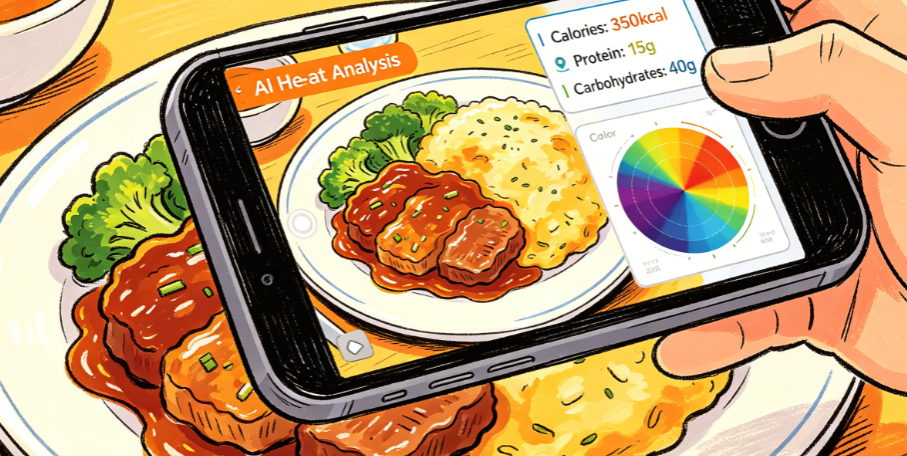
This week, on a whim, I wanted to adjust my diet. I downloaded three calorie-tracking apps in total; the longest lasted two and a half days — for every bite I had to search for ingredients, adjust grams, and recording one meal took five minutes, by which time the food was cold. Just then, I came across someone mentioning EtinAI, saying you just take a photo of your food and that's it. My first reaction was: No way, I've tried similar things before, and the accuracy was ridiculously bad.
With the mindset of stepping on a landmine but wanting to do it clearly, I downloaded it. As a result, I've been using it daily for a week, and now I just take a photo before each meal without any hassle. Today, I'm sharing with you the real experience that no one online has detailed, speaking honestly about the good and the bad.
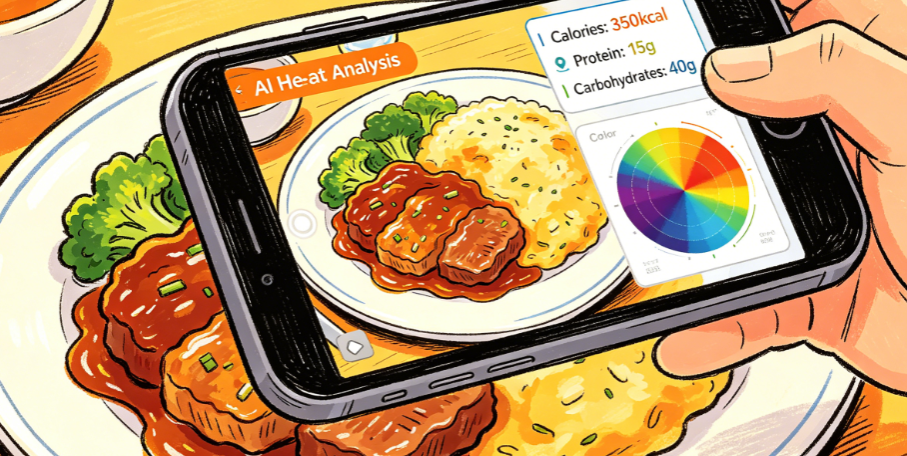
First Impression: Finally, No Need to Fill Out a Ten-Page Questionnaire
I hate those health apps that first ask you to fill in height, weight, body fat percentage, target weight, sleep schedule... a whole set of dozens of pages. You're tired before you even start recording.
EtinAI really got me on this point: after logging in, it jumps directly to the shooting interface, with only a one-line hint for the beginner guide. The whole process took less than two minutes. I swiped a couple of times and couldn't even find the 'complete personal profile' entry, which actually felt a bit unfamiliar — so it's really just open and use, huh?
The interface is also clean, just a capture button and two small icons for switching modes, with any extra menus hidden deep. I initially thought it was lacking features, but later realized they had cut out all the useless stuff, focusing on just one thing: take a photo of food, calculate calories.
That 5×5cm Small Square Frame, I Thought It Was Just a Decoration
When I first opened the shooting page, I was puzzled about what the small square frame in the middle of the screen was for, thinking it was a composition guide. After carefully reading the instructions, I learned it's a unique 5×5cm reference scale. It says that by placing an object of known size inside the frame, it can accurately calculate the portion size of the entire dish.
At the time, I was dismissive, thinking how accurate could it be? So I went to the kitchen and used a food scale to weigh a bowl of rice and a boiled egg for a test. I placed the egg exactly inside the frame and took a photo; within three seconds it showed results: egg 52g, rice 118g. The actual weights I measured were egg 50g and rice 120g.
Honestly, that surprised me a bit. Similar tools I've used before could vary by over a hundred calories for the same bowl of rice just by changing the angle, with portions guessed randomly by AI. This one, using a small frame as a reference, actually kept the error within a very small range.
Later, I specifically checked and found that its accuracy in recognition tests for Indian dishes can reach 94.7%. I tested it on home-style Chinese dishes myself, and over the week, the errors were basically within an acceptable range. It even accounted for the sauce drizzled on the dishes and the sesame seeds sprinkled on top. The precision is indeed better than what I've used before.
I Tested Three Scenarios Most Prone to Errors
Testing just home-style dishes isn't impressive. I deliberately chose three scenarios most likely to cause trouble, and there were both surprises and disappointments.
The first was a takeaway spicy hot pot (mala xiang guo). The ingredients were mixed together and very oily. I originally thought it would definitely not be recognized. But the result listed eleven ingredients, even identifying the konjac noodles I added extra. The total calorie difference from my own estimation was less than fifty calories. The only small issue was that it couldn't distinguish between beef balls and fish balls, but the calorie difference is small, so it's fine for daily use.
The second was a self-selected meal at the company cafeteria, one meat dish, one vegetable dish, plus rice. This was the most stable; basically accurate every time. The dishes were clearly separated, and the three macronutrients were clearly listed, much more reliable than my own estimates.
The third was the pumpkin millet porridge I cooked myself, stirred into a fine paste. This one really didn't work; it could only give an approximate total calorie count, unable to distinguish specific ingredients or gram weights. But I think that's normal; after all, it's photo recognition, it can't see through the porridge to know what's inside. Acceptable.
A Few Small Details That Impressed Me, Things Big-Company Apps Wouldn't Do
After using it for a week, there are several inconspicuous aspects that made me feel the most comfortable.
First is privacy. I specifically looked into its privacy policy, which emphasizes 'data belongs to you'. There is no background behavior tracking, and it won't use your eating habits to push ads. In the week I used it, I indeed saw no ad pop-ups, not even a splash screen ad. It's so clean it's almost unbelievable.
Second is multi-device syncing. I installed it on both my phone and tablet. During the day at the office, I casually take photos with my phone, and at night lying in bed, I use the tablet to view the week's dietary statistics. The data syncs very quickly, no need to manually export or transfer files. It works on both iOS and Android, not picky about the system.
Third is the pricing model. By the third day of use, I was still wondering why there was no membership purchase pop-up. Later, I went to the settings specifically and found that the advanced features are hidden deep. The core functions of daily photo calorie recognition, viewing nutritional components, and saving diet records are all permanently free. Only high-level needs like in-depth analysis reports and customized diet goals require a paid upgrade.
This kind of restraint — not rushing you to spend money — is really rare nowadays.
Finally, to Be Honest, Don't Deify It or Trash It
Many people like to hype AI tools as miraculous, or completely dismiss them as a waste of money. I think neither is necessary.
If you're like me, just wanting to pay a little attention to daily diet, not wanting to weigh every meal with a food scale, not wanting to spend five minutes manually entering data, or always feeling guilty about recording diet and unable to stick with it, then EtinAI is really worth a try. Anyway, the basic functions are free, so downloading and trying it won't hurt.
But if you are preparing for a bodybuilding competition and need professional-level precision down to every gram of nutrition, then it's definitely not sufficient. You'd be better off sticking with a professional food scale. It's just a hassle-free tool for ordinary people. No need to oversell it, but it does solve real problems.
I've already deleted the other three apps and kept only this one. After all, if you can do something effortlessly, who wants to bother with all that trouble?
Comments
Leave a Comment